


Full Circle: WWDC26 Bengaluru Recap

One of my personal highlights for the last two years has been attending the WWDC recap at the Apple Developer Center in Bangalore. It’s almost like a mini-WWDC for developers in India. Even though I was physically at WWDC this year, I made sure I flew over to Bangalore for the recap—after all, attending these Bangalore WWDC recaps is where things all began.

The day starts with sitting down in the waiting area at the Apple Developer Center, and catching up with fellow early birds—it’s the same early birds every year, haha. Then, it’s collecting the badge and the pins for the event. This year, it was a Classic Macintosh pin (the same from last year), and a new “Hello, Bengaluru” pin. This is followed by chatting around the open space at the Developer Center, and grabbing cookies and coffee.
Then, it’s time to sit down and watch the presentation from the folks at Apple. This part of the event is great for learning about the best technologies from WWDC that you should implement in your app to create the best possible experience for your users on OS 27. As always, I’ll be summarizing everything that was discussed and will be providing links to sessions from WWDC that may be relevant to what was being discussed. If you missed this event, this is probably the best recap of everything that you can find online.
As another side note, the Special Event at the Steve Jobs Theatre was recorded and made available on Apple’s website and on YouTube, for WWDC26. It’s a great resource to explore similar topics that were covered at this event—although it is worth noting that they are both separate events with different content. If you missed both or either of those, you can use this blog post as a guide for building a best-in-class OS 27 app.
Key Takeaways:
The goal here was to make your apps Intelligent, Integrated, Adaptable, and for you to be able to take advantage of agentic tools from Apple.
Intelligence
This year was big for Apple’s AI story for consumers—and that carries over to developers too. This section was led by Sandhya Kundapur, a technology evangelist at Apple who focuses on Apple’s AI frameworks like the Foundation Models framework or Core AI.
To make your apps intelligent, there are two ways to go about this: to use Apple Intelligence models, or to use custom ML models.
Foundation Models Framework (FMF)
The Foundation Models framework now gets the ability to input images alongside your prompts. Apple’s models were always multi-modal with image support even in iOS 26 (as surfaced via iMessage summaries, or the Siri Shortcuts app), but the image input API was not made public—until now.

The framework also now allows you to work with Apple’s own Private Cloud Compute (PCC) servers for a larger model with a 32K context window, and you can also optionally hook up to any model provider you want like Claude, Gemini, or GPT. The advantage that was emphasized with Apple’s own models is the cost—you do not have to pay for the on-device models, or the PCC model.

There is a catch for the PCC model, and that is the fact that you must be in the small business program, have a combined sum of downloads that is less than 2M, and be granted the Private Cloud Compute entitlement for your app—so that’s worth keeping in mind.
Another discovery made after the event is that the context window for the on-device model has jumped to 8192, 2x from the previous 4096, on the devices that support Apple’s latest foundation models—so the iPhone 17 Pro, iPhone 17 Air, or anything with the M5 chip and at least 16GB ram.
Dynamic Profiles also come to the FMF, making it easier than ever to switch between model settings and tools, while maintaining the same LLM session.

There’s also a new evaluations framework for the FMF, that can let you better test and compare results between model settings and prompts to ensure you’re getting the best output.

Relevant WWDC Sessions:
Custom AI/ML models
Obviously, you can go beyond cloud models and the default ones provided by Apple. Whether it’s for LLMs, or for general ML models for local inference.
Core AI is the new framework that is optimized for taking advantage of your Apple device’s processing power. Use cases like Speaker Diarization and Image Generation were highlighted, and I am especially interested in trying out the former to see if I can get it to work in a performant manner.
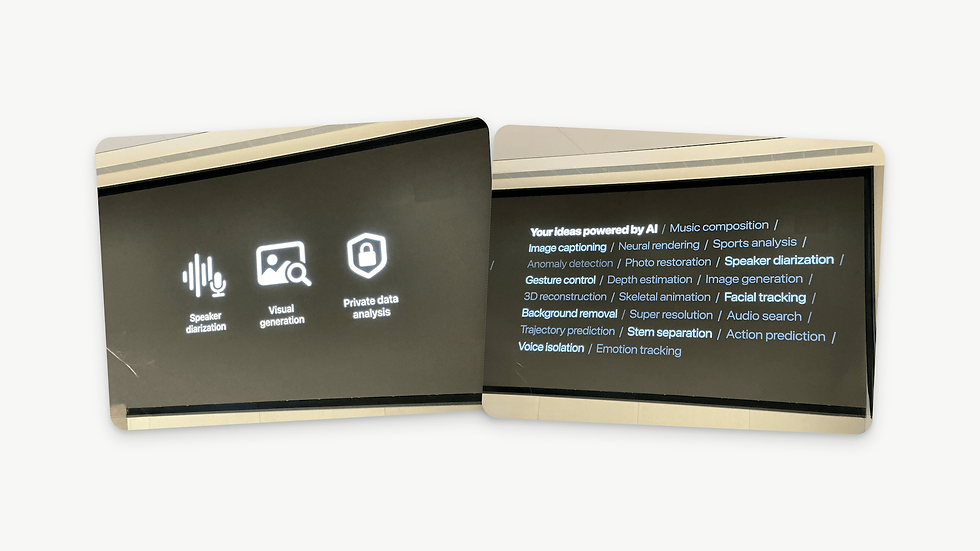
MLX, is another framework that has existed on Apple Platforms to do much of the same things. While you can use it to run LLMs and general ML models, the focus for MLX now has shifted to using it specifically for use cases such as distributed computing or experimentation, while Core AI is the framework for user-facing experiences.

Some useful links that Apple provided for working with MLX:

Relevant WWDC Sessions:
Integration
Adding intelligence to your app is one thing, but integrating it with the rest of the system allows users to unlock entirely new experiences. This section of the presentation was led by Karthik Sarve, a technology evangelist focusing on App Intents.
The App Intents framework is what allows you to integrate your app with the new Siri AI. It allows Siri to access content from your app, take action, have on-screen awareness, and perform actions across multiple apps.
I’ve been a fan of the App Intents framework for a while, and I’ve always been a huge proponent of it—mainly because of its integration with the Siri Shortcuts app. But there’s always been a barrier to entry because it’s hard to know where to start. App Intents Domains are a great way to find pre-defined App Intent “templates” that can work with your app’s use case. Apps that fall into these domains will have the best experience with the new Siri out of the box, but in case your app does not fall into any of these domains, you can always define an App Shortcut instead.

There are also two new system.open and system.search intents in the System domain, which are helpful to allow Siri to open entities in your app, or perform in-app search.
Once you’ve integrated the framework correctly, Siri will also be able to figure out the relevant entities in your app based on what is on screen, and you’ll be able to say things like “Turn off the third alarm” and Siri will know what you’re referring to.

App Intents also allow Siri to perform actions across apps, like asking Siri to “Link this note to my next game.” This is a really powerful example, which shows how it is able to use on screen awareness to find the note in your notes app, and link it to your upcoming game in a sports app that donates a calendar event entity.

Lastly, your app can donate these intents to the system whenever you perform an interaction in your app. For instance, in a messaging app, every time a user uses your app to send someone a message, you can let the system know about it through a relevant intent you’ve defined—this will implicitly set your app as the default for your conversations with that person. So you can text person A on iMessage, but person B on Telegram, and Siri will know which platform to use when you say “Send a message to A” or “Send a message to B.”

Relevant WWDC Sessions:
Adaptability
With changes to Liquid Glass, UI refinements across the platforms, and the suspicious introduction of “resizability” (wink, wink), this section of the event was all about design. This section was led by Ashutosh Vashishtha, a design evangelist at the developer center.
There was an emphasis at the beginning to separate your UI controls layer and content layer. Too many apps use Liquid Glass in the content layer, and Apple wants to make it clear that it is not the intended use case. Liquid Glass is for controls that go on top of your content, not for the content itself.

New this year is the ability to resize your apps via iPhone mirroring on Mac. Clearly, the true motive of this is geared towards September. Either way, it’s an important step forward for your apps to implement this feature, since it will be the most noticeable one for those using what is unveiled later this year.

You can use size classes to determine what kind of UI is to be displayed for the user, and if you’re sharing code across platforms, user interface idioms let you know what platform the app is running on so you can adapt your interface on the fly.

The toolbar also gets options for you to mark certain items as high/standard/low priority, which determine which ones get kept or tucked away under ellipsis—depending on the resized state of the app, or the device that’s being used.

Relevant WWDC Sessions:
Tools
With the rise of agentic coding tools, people have started to spend less time in Xcode, and have moved away to using other AI-integrated IDEs for development. Apple has finally caught up, and now they want you to switch back to Xcode.

The biggest advantage to Xcode is the direct tooling access it has to all of Xcode’s features. It’s able to check the console, run previews, interact with the app, and most importantly: access latest Apple documentation.

An example they provided was also asking the agent to generate multiple different previews of your app’s UI in different styles to see which one you like the most. I don’t know about you, but I can tell these were AI-generated from a mile away—they do lack soul in many ways. This is just a fundamental constraint when working with AI models today—not necessarily the problem with Apple’s own implementation, although this is something a good harness can mitigate, but not entirely fix.

Localization is a great example where Xcode can shine natively too. I was able to talk to one of the engineers who worked on this feature when I was at WWDC, and they explained to me how this worked and I think this feature will turn out to work really well.

Xcode lets you integrate your existing Claude, Codex, or Gemini plans for the agentic mode, but you can also use any agent that can use the Agent Client Protocol (ACP).

Last year you could simply opt out of the Liquid Glass design and delay adoption; this is no longer the case—recompiling with Xcode 27 automatically forces Liquid Glass for your app.
Relevant WWDC Sessions:
App Store Updates
Next up was a section about App Store updates from Ankit Sharma, who is the head of App Store India at Apple.
Discovery and marketing enhancements
There are some new ways to market your apps on the App Store, including the ability to add custom headers. I think this is a really neat change. Earlier, this was exclusive to those who were officially featured by Apple. Seeing the fact that anyone can now add a banner is a really neat touch. You can also update this without a new build—which is always fantastic.

The asset library is also here which makes managing assets a whole lot easier, and makes the aforementioned no-build-required asset upload process possible.

I think personalized collections for Apps are also really neat. They allow you to pair apps together and add custom notes to show why they are a great fit, and these can appear across the search, apps, and games tab.

In-App Purchase submission enhancements
There are updates with the way you submit in-app purchases, and you’re able to better see communication from Apple about the review status now. There’s a retention messaging API that lets you show custom messages when a user tries to unsubscribe, and present them with an offer. You can also now offer subscription bundles across apps from different developers which is a really neat feature. Not sure if I’d ever be able to use it, but seems like a great way for developers to do some cool partnerships for marketing.

Enhanced workflows
There are some great enhancements to the managed background assets. Looks like you can now do upto 200GB of assets for an app or game, which is an insane amount. I’m not quite sure what the limit was earlier, but this seems more than plenty for my use cases. I have been meaning to explore this for a while, and hopefully I’ll get around to it soon.

Carrying forward the theme of child safety and screen time features from the WWDC keynote, there were some updates to share here. Apps that fall into certain categories will now have recommended/suggested time allowances that are recommended to parents.

Here’s a neat little summary slide with everything new from them. I’m always a fan of these bento slides.

Relevant WWDC Sessions:
Q&A
This time, there was a nice little Q&A panel hosted by Ashok Prabhu with the aforementioned evangelists who presented earlier that day. It was almost like a compacted version of the group labs, with some pre-prepared questions as well as time for answering questions from the audience. I believe this was new this year, and it was a nice addition to the event.

Developer Presentations
As is the case every year, there were presentations from developers from some popular and upcoming apps from folks in the Indian developer community talking about how they’re integrating the new OS 27 APIs into their apps. This is always a great section to see the creative ways in which people are taking advantage of the new framework, and serves as inspiration for ideas. We had Mohideen Sulaiman from Zoho, Tabrez Miyan from Glance, Rahul Goel from Sony Liv, and Sabesh Bharathi from Uncle Rudy.


ADA Showcase
Once we were back on Lunch, Aradhana Biradar—who manages partnerships at Apple India—kicked off the ADA showcase with Katha Room and Guitar Wiz who were Apple Design Award finalists and winners this year.

Katha Room
Raksha and Harish from the Katha Room app presented a wonderful talk about the story behind the creation of Katha Room. They are Apple Design Award finalists this year, and getting insights from their process of designing and developing this app was truly fantastic. They talked about how they designed their app with intention, character, and care, and tested added so many subtle—but human—touches to the app to make it stick for their users.

Guitar Wiz
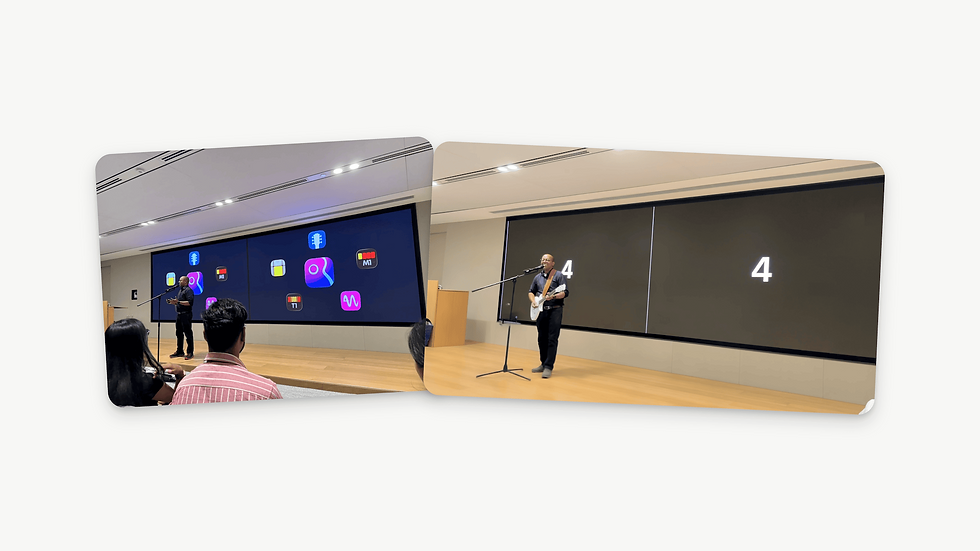
This was a fantastic section. Bijoy, the Design Award winner for the Inclusion category this year presented his app Guitar Wiz. He took us through how his background and passion for music allowed him to create the perfect app. But, he didn’t only talk about his fantastic story, he showed us the app in action live on stage and played the guitar and sang for the audience. I had jokingly thought to myself before coming to the event—what if the folks at the Developer Center had a little concert for us just like the developer meetup at Apple Park for WWDC, and man did they deliver—haha. That aside, this was a great section, and seeing how Bijoy implemented accessibility in this app was truly fantastic, the video demo of the voice over feature spoke for itself—it was incredibly intuitive and I’m going to be using it as a guide for my apps. Unfortunately, I don’t have those videos for me to share with you, but you can try Guitar Wiz for yourself on the App Store.
Panel Discussion
If you’ve been following me for a while and saw my blog post about this event from last year, you’ll know that I was on this stage last year for this section—and it was a fantastic experience. Once again, this year brought some great panelists together for a great panel centered around WWDC experiences and what makes community so special. This, again, was hosted by Aradhana and panelists included Ranjith Ramanan, Raj Raval, Naveen T P, and Shourya Thakur. Had a lot of fun hearing about their WWDC and community experiences—and for the first time in the last three years, not feel the FOMO they try to induce because I was actually there at WWDC this time :P

Hanging out, and community!
Once the panel wrapped up, we were all free to chat around at the developer center. Unlike previous years, they didn’t take us to Café Macs for the special evening snacks they always have, but nonetheless—the people were still here! This part of these events is what makes them so special. You can read blog posts like these, and watch all WWDC sessions to catch up on the contents of these presentations—but you can never experience the sense of community from attending these events in person. Rudrank told me about this event two years ago, and it was my first time experiencing a true developer community in action—and since then, I’ve been to so many more events like these, by Apple or from the community. You meet so many folks you only ever see online, get to catch up with them, chat about stuff beyond your own apps, and also get a chance to talk to evangelists from Apple. This is honestly why I love going to this event—and why I returned to a recap even though I had already been to WWDC in-person.
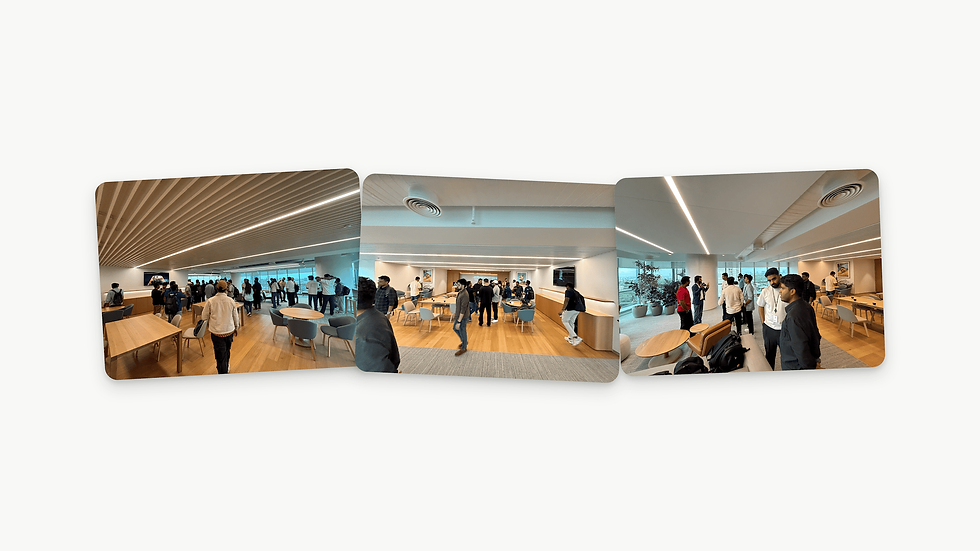

I was also at the post-event dinner with folks from the community, and it’s always a pleasure hanging out with them! We were there for a lot of hours, and it was super dark by the time we left. I was here for the second time in a row, and also convinced Rudrank to come along haha—we had a fun time here.

A clear shift in perspective
Here’s also something I noticed. Unlike in previous years, there was a clear shift in focus away from showing code on-screen to focusing on what the new technologies unlock for your apps. There were no code snippets throughout the presentation this time, and it was even hinted at that the future Apple Developer Workshops will be a shift away from traditional coding.
This is obviously in response to the rise of agentic coding, and it makes sense why this is happening—the audience cares less about the code now, and would inadvertently be less interested if there was code on-screen. But nonetheless, it is an interesting observation. In many ways, knowing the right ways to implement these new features is also helpful to provide the best possible experience to your users—but perhaps Xcode’s new agent can take care of that for you?
P.S.
If you're reading this before July 23-24th, the folks at the Cupertino Developer Center are doing a very similar session online if you want to hear directly from them:
Random Stuff
This year, there was a huge jump in the food! Apple really had a treat in store for us. Chicken Biryani, BBQ Bao Buns, Tiramisu, and so much more. Lunch was awesome. This is probably why they didn’t take us to Café Macs at the end of the day, haha.

They also had photographers and videographers filming the event throughout the time we were there, maybe we’ll see stuff posted soon.
Also, since I was sitting in the second row this time, a lot of my photos had people in them on the edges from those in the front row. Ended up being able to test the new Clean Up tool in macOS 27 to clean them up, and the results were promising. I used the old cleanup tool in some places, and you might’ve been able to tell, but otherwise, it was pretty good.
Swapnanil, Rudrank, and I somehow ended up being in Bangalore at the same time again. Every year, Rudrank says he's not going to be there, and ends up being there. In the end, this was yet another memorable stay and had fun going around with them--although nowhere near as much as we did last year!

Closing Thoughts
As always, a huge thanks to the folks over at the Apple Developer Center for making this such a special event this year--Mukund, Ashok, Karthik, Sandhya, Aradhana, Ashutosh, Narayan, Ankit, and everyone else who makes this event possible. It's always a pleasure meeting them, and attending these events. Also thanks to Rudrank and Swapnanil for the company throughout my Bangalore trip this year--it was great to be back again this year.
The reason this article was titled the way it was is that this is indeed a full circle moment. In 2024, I came here for my first ever recap. In 2026, this is likely going to be my last, with me being unable to be in Bangalore in 2027. Like I've mentioned a billion times so far, this is where community started for me, so it's a special place for me--this was a bitersweet bye...
A huge thanks for reading this post all the way to the end. If you made it this far, tag me on Twitter @TheOriginaliTE or drop a comment here, and let me know what you think!


The breakdown of bringing an LLM provider into Apple’s Foundation Models framework is especially useful for building flexible agentic apps. I’m also exploring image understanding with https://magichour.online/magichour-free-credits
The section on bringing an LLM provider into the Foundation Models framework is especially useful for building flexible agentic apps. I’ve been testing similar workflows with a lightweight toolchain— check out https://makeugc.pro/makeugc-pricing
The section on bringing an LLM provider into the Foundation Models framework is especially useful for building flexible agentic apps. I’m also exploring similar integrations with https://lip-sync.online
The guide’s coverage of bringing an LLM provider into the Foundation Models framework is especially useful for building more flexible agentic apps. I’ve been testing similar workflows with https://wavespeed.site/wavespeed-face-swap
The section on bringing an LLM provider into the Foundation Models framework is especially useful for building flexible agentic apps. I’ve been testing similar workflows with braided.ai, and the integration patterns are promising—check out https://dzine.site/dzine-ai-video